
Businesses are under constant pressure to deliver faster results, enhance productivity, and stay ahead of the competition. Yet, many struggle with integrating artificial intelligence (AI) tools that align with their specific needs. Although 84% of C-suite executives recognize the need to scale AI for growth, only 16% have moved past the experimental stage. The gap between adopting AI and tailoring it to your operations can limit its potential impact.
James Fair, Senior Security Architect for Executech notes that “The future of business isn’t just about using AI—it’s about shaping AI to work for your unique goals.”
This blog explores how you can customize Microsoft Copilot to fit your business, driving efficiency and growth with tailored AI solutions.
Unlock the power of automation to boost productivity and streamline operations effortlessly.
No two businesses are alike, and neither should their AI tools be. Microsoft Copilot offers robust customization options that allow you to adapt its capabilities to your specific needs, ensuring maximum relevance and impact.
Microsoft Copilot Studio is a low-code platform that empowers businesses to create customized AI agents tailored to their workflows. It integrates seamlessly with Microsoft 365 apps and third-party tools, offering flexibility in automation and decision-making processes.
With Copilot Studio, you can:
Using Copilot Studio, businesses can go beyond standard AI tools and develop solutions that align perfectly with their goals.
The power of AI for business lies in its adaptability. Whether you’re in healthcare, finance, retail, or manufacturing, Microsoft Copilot can be tailored to fit your industry-specific needs.
These are just a few examples of how you can adapt AI tools to meet the demands of your specific industry.
Successful business AI integration depends on how well AI tools mesh with your existing systems. Microsoft Copilot is designed to integrate smoothly with your workflows, providing consistent, actionable insights without disrupting operations.
| More articles you might like |
|---|
Copilot works across the entire Microsoft ecosystem, including Teams, Excel, Word, and Outlook, ensuring a unified experience. But its capabilities don’t stop there. Copilot also integrates with other platforms like OpenAI plugins and Atlassian’s Jira, allowing for a comprehensive AI-driven workflow.
This wide-reaching integration ensures your team benefits from AI support at every stage of their workflow.
Customizing Copilot isn’t just adding features. It’s more about transforming how your business operates. With AI customization options, you can streamline repetitive tasks, enhance decision-making, and reduce operational friction.
These features help create a more efficient, responsive, and agile business environment.
Contrary to popular opinion, personalizing Microsoft 365 with Copilot goes beyond adjusting the setting. It’s how you reshape the way your team interacts with technology.
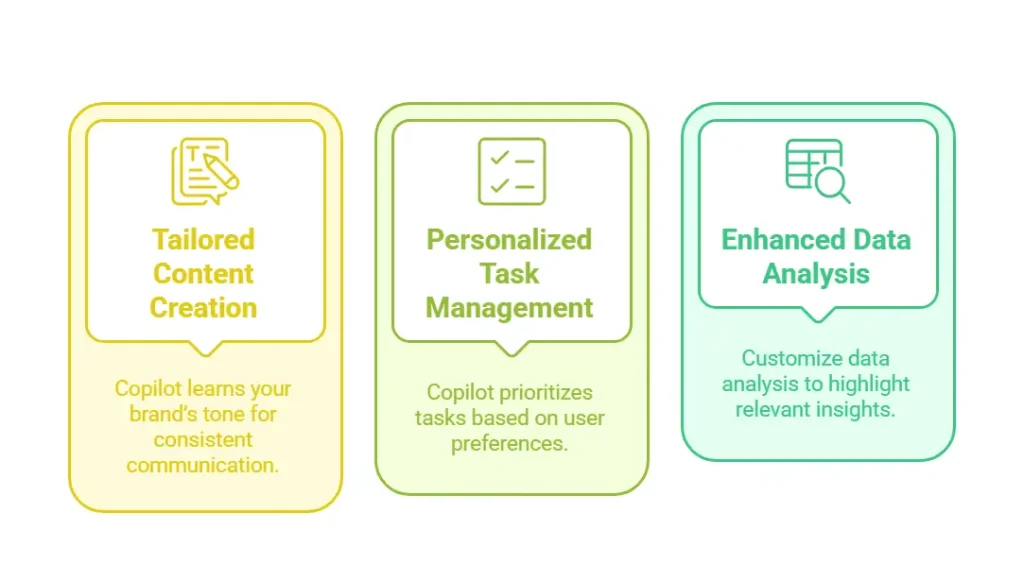
Microsoft Copilot’s custom AI features adapt to individual user preferences and organizational goals. You can create a personalized experience that boosts productivity and engagement by fine-tuning these features.
According to Twilio, 92% of businesses are now using AI-driven personalization to fuel business growth.
These personalized features improve efficiency and also enhance your overall user experience.
Businesses in various industries are already seeing the benefits of business-specific AI customization.
Below are some notable examples:
Faced with outdated credit risk evaluation methods, CreditScope integrated AI to enhance their analysis. The AI system used deep learning to analyze real-time data, improving the accuracy of credit assessments by 50% and speeding up the process by 70%.
By using AI to sense demand and forecast product needs, Levi Strauss ensures the right products are available in stores. This data-driven approach enhances customer satisfaction and boosts competitive advantage.
Known for paper products, Georgia-Pacific uses AI to analyze a terabyte of data daily. This helps predict equipment failures and reduces unplanned downtime by 30%, improving overall efficiency.
These examples show how customizing AI tools, like Copilot, can significantly improve business operations.
Exploring the key AI customization features can help businesses understand their impact on operations. Below is a comparison of these features and their respective business benefits
| Feature | Description | Business Impact |
|---|---|---|
| Custom AI Agents | Build agents for specific functions like sales or support | Improved efficiency and tailored workflows |
| Third-Party Integrations | Connect with external tools for seamless data flow | Unified operations across platforms |
| Workflow Automation | Automate repetitive tasks and processes | Reduced manual workload and faster task completion |
| Personalized Data Analysis | Customize data inputs and outputs for relevant insights | Better decision-making with focused information |
| Tailored Content Creation | Align AI-generated content with brand voice and style | Consistent communication and improved engagement |
| Real-Time Alerts and Updates | Set triggers for critical business updates | Proactive response to changes and issues |
Customizing Microsoft Copilot is the key to unlocking your business’s full potential. You can drive efficiency and innovation by tailoring AI to fit your unique workflows, integrating it with your systems, and personalizing it to your goals.
At Executech, we help businesses harness the full power of AI for business. Our clients report a 98% satisfaction rate with our IT consulting services.
| Explore Trusted IT Consulting Services Near You: | ||
|---|---|---|
| Phoenix | Sacramento | Bellevue |
| Renton | Utah | Salt Lake City |
| Kent | Federal Way | Seattle |
| Spokane | Tacoma | Kirkland |
With proven expertise and a commitment to delivering results, we can guide you through every step of your AI customization journey. Contact us today to learn how we can help you customize Microsoft Copilot to transform your business.
